




Ford How-To: Dynamic Hitch Assist
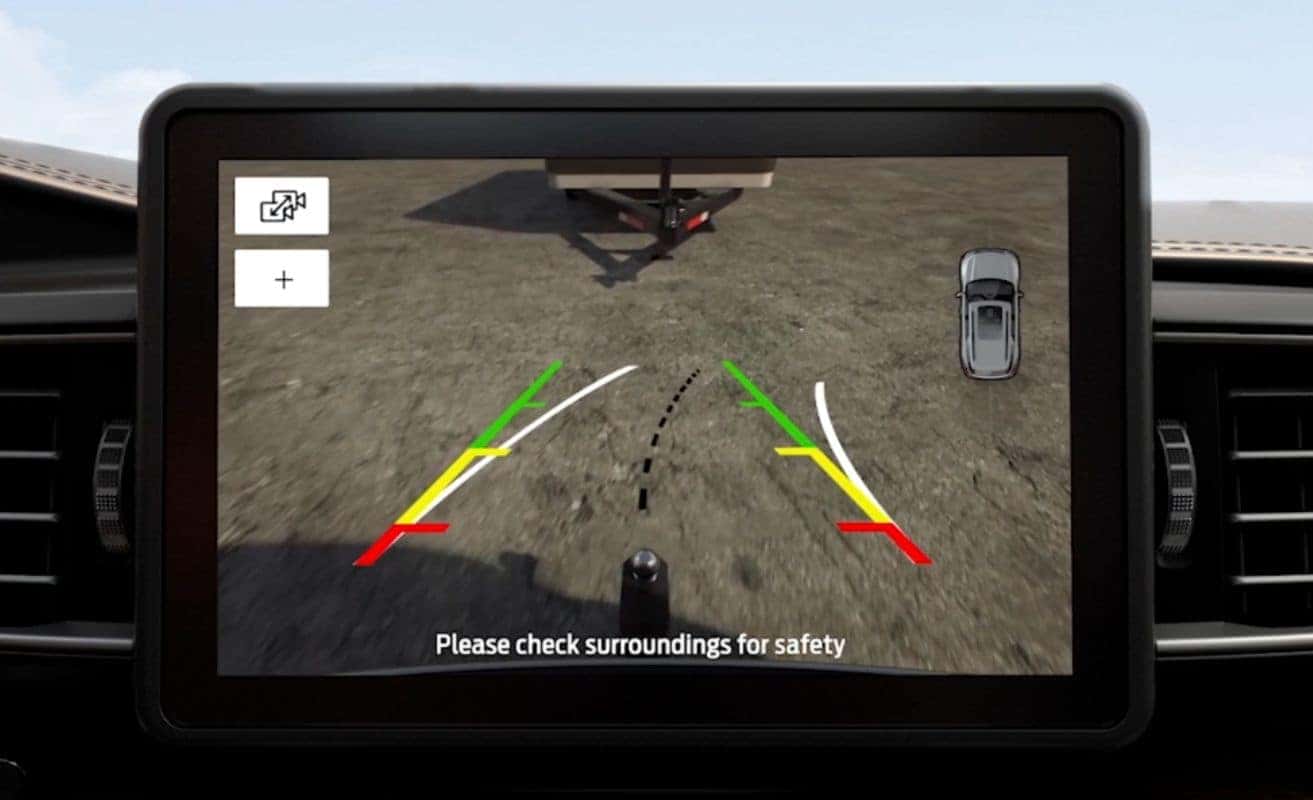
Your Ford vehicle may be equipped with a feature that can help you get a closer view of the hitch area so that you can accurately connect your trailer. Let me tell you about it.
It’s called Dynamic Hitch Assist, and it uses a camera mounted in the lift gate to project a rear-view image on your center display. When you shift your vehicle into reverse, the rear-view camera will show an image of what is directly behind your vehicle.
You’ll see green, yellow, and red distance lines that indicate how close you are to the trailer while approaching it in reverse. Green being the farthest and red the closest.
It also has black and white guidelines to help you line up the hitch and to show you which direction you’re going while in reverse. To zoom in, touch the plus button one time for a closer perspective of the hitch area.
To zoom back out, just touch the minus button. That’s all there is to it.
Any questions, go to owner.ford.com.
0 comment(s) so far on Ford How-To: Dynamic Hitch Assist