




Ford How-To: Drive Modes & One-Pedal Driving
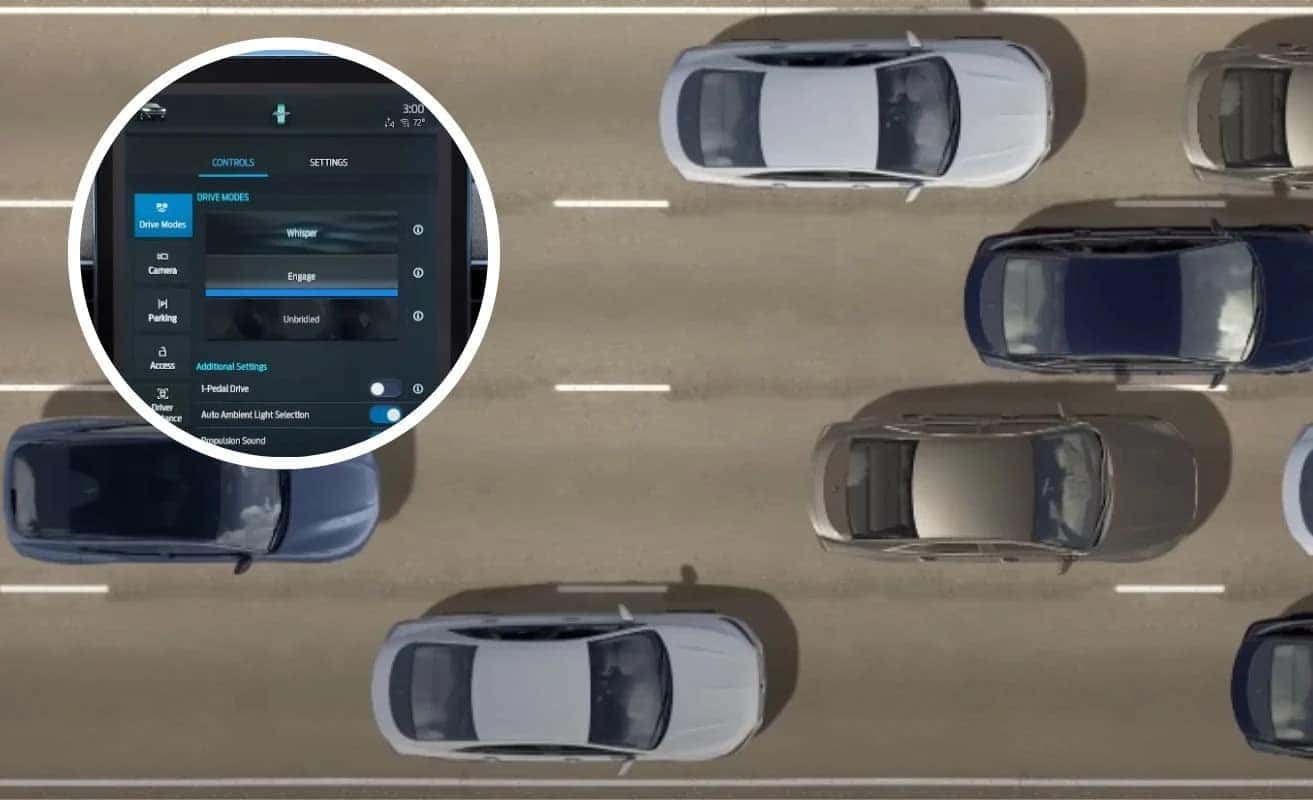
Your vehicle may offer selectable drive mode experiences to fit your driving mood. Let me show you.
To set your desired mode, touch the vehicle icon in the top left corner, here. It’ll automatically default to the control screen and drive modes will be highlighted. From here, you can select Whisper, which delivers a calm driving experience with gradual acceleration and a relaxed steering feel. The interior sound is turned off and the ambient lighting is blue. And Gage sets the ambient lighting to a soft blue and you’ll enjoy a balance of excitement, comfort, and convenience within vehicle sounds to enhance the experience. Or choose Unbridled mode for increased throttle response, a sporty steering feel, orange ambient lighting and enhanced driving sounds for an exhilarating driving experience. In Whisper and Unbridled modes, you’ll notice that the 10-inch digital cluster display reacts to your acceleration, breaking and handling. Whichever mode you select, all three modes are equally energy efficient.
You can also choose the one-pedal driving feature, which allows you to control vehicle speed with the accelerator pedal and reduces the need to use the brake pedal to slow the vehicle down. Instead, the vehicle slows down as you lift your foot from the accelerator pedal. This is most useful in stop-and-go traffic. To activate one-pedal driving, touch the vehicle icon in the upper left corner of your touchscreen. Then from the Drive mode screen, slide the button to turn it on. It’s that simple. Keep in mind that until you turn them off, drive experience modes and one-pedal driving will remain on each time you start the vehicle.
Any questions? Go to ford.com/support.
0 comment(s) so far on Ford How-To: Drive Modes & One-Pedal Driving